-
hipo posted an update 10 years, 12 months ago
If you like keeping your last types into a virtual clipboard which is always there in case if you lost something you type on the web or you missed to save a long blog post because of a network problem, I recommend you to install some of the many available clipboard history managers, such as Ditto and ClipX.
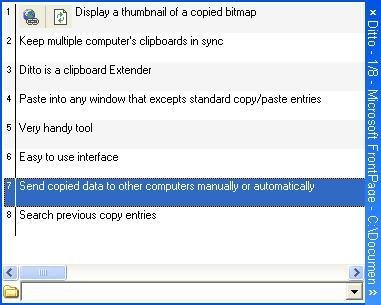
Here is short description from Ditto’s website: “Ditto is an extension to the standard windows clipboard. It saves each item placed on the clipboard allowing you access to any of those items at a later time. Ditto allows you to save any type of information that can be put on the clipboard, text, images, html, custom formats, …..”
Ditto is available as a portableapp and runs fine on Windows and the best part is it is open source, if you want to give it a try check out here – http://ditto-cp.sourceforge.net/
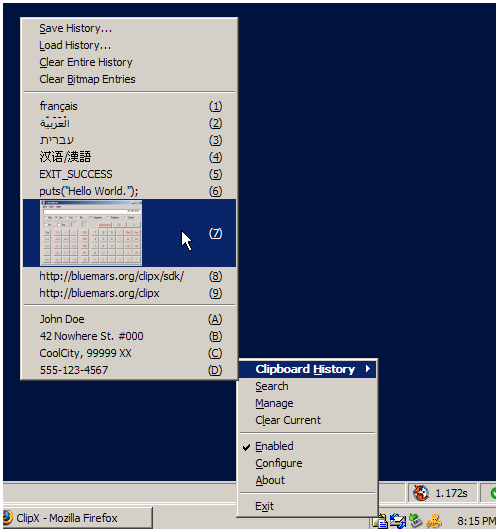
An alternative software which is not open source is ClipX – “ClipX is a tiny clipboard history manager. It is sweet, it is free, use it.” – http://bluemars.org/clipx/
It is my personal opinion ClipX is inferior to Ditto because it is closed software. Both Ditto and ClipX are pretty much keyloggers as they keep all you type in a buffer, so I don’t recommend ClipX, though many people in proprietary companies strangely tend to use it. I will be not surprised if clipx author Francis Gastellu has embedded “a feature” to periodically send him all the collected buffered clipboard data 🙂 Be aware that everyhing copied in clipboard will be kept continuously if you use this clipboard managers, and copy pasting passwords could be a great security risk!
Here is how ditto looks like – http://www.pc-freak.net/images/Ditto-extension-to-standard-windows-clipboard-saves-everything-copy-pasted-into-clipboard-allowing-access-to-items.jpgAnd also screenshot of ClipX clipboard save mgr – http://www.pc-freak.net/images/clipx-intray-saving-clipboard-virtual-clipboard-for-your-windows-to-save-copy-pastes.png
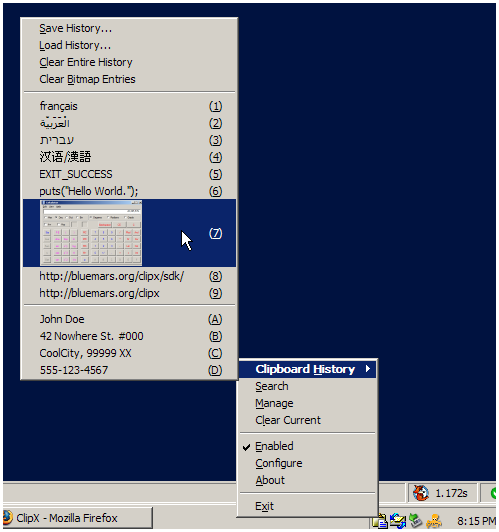
http://www.pc-freak.net/images/clipx-intray-saving-clipboard-virtual-clipboard-for-your-windows-to-save-copy-pastes1.png